Smart Parking
Chartr's Smart Parking system puts a handheld ETM device at every parking stand. Attendants check vehicles in and out, collect cash or digital payments, and the data flows live into a central dashboard — no paper, no guesswork.
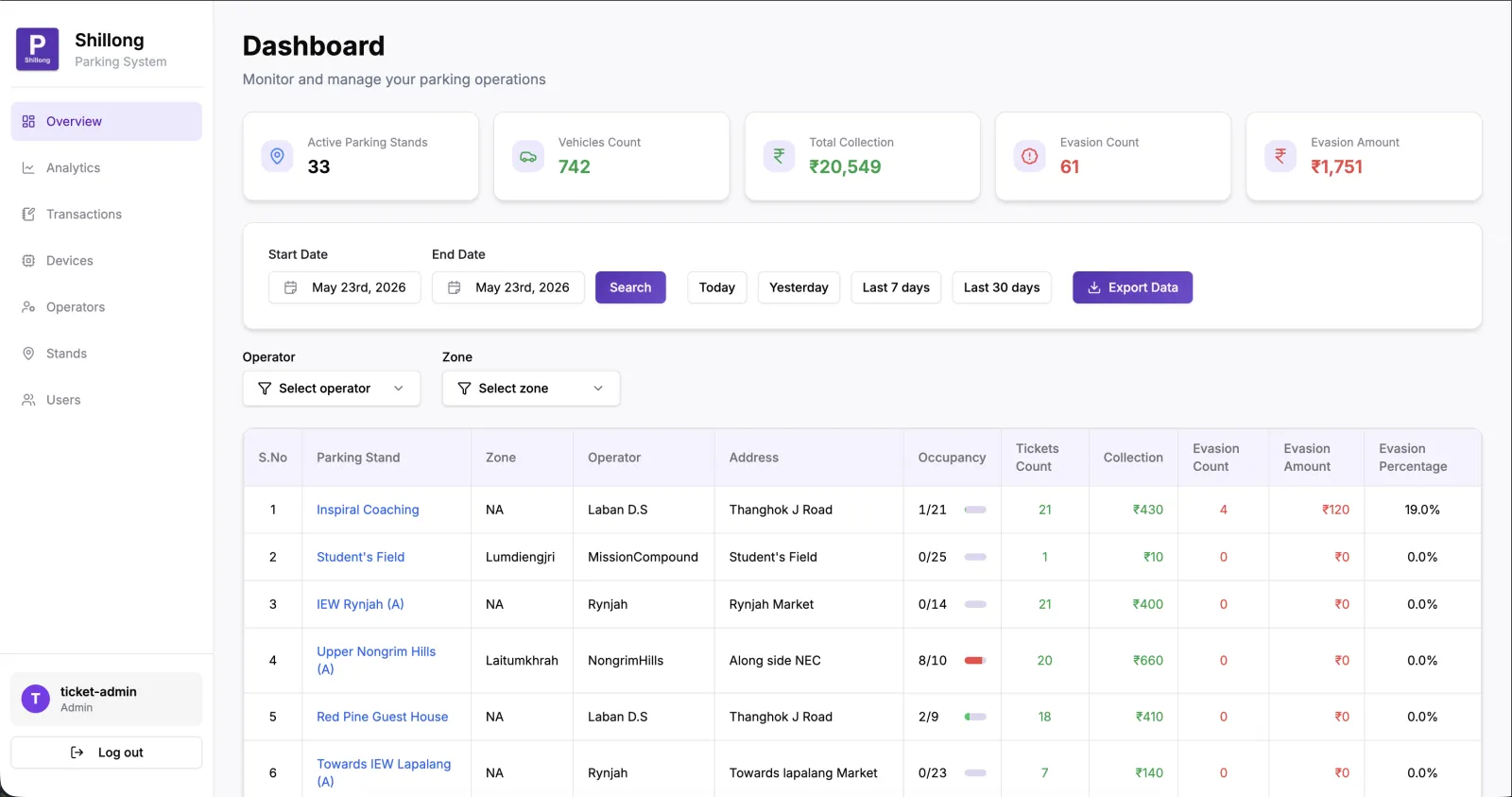
City administrators get a live view of occupancy, revenue and evasion across every stand, every zone — in real time.
0+
Active parking stands (Shillong)
₹0K+
Daily collection tracked
Cash & UPI
Payment modes accepted
Offline
Works without internet, auto-syncs
How it works
ETM at the stand. Dashboard in the office.
Each parking stand gets a PAX ETM (Electronic Ticketing Machine) — a handheld device running Chartr's parking app. When a vehicle arrives, the attendant enters the number plate, selects the vehicle type, and taps Check In. When it leaves, the system calculates the fee and the attendant collects payment — cash or digital. Every transaction syncs live to the central dashboard.
ETM device at every stand
A handheld PAX device running Chartr's parking app is given to each attendant. Works offline — syncs when connected.
Check in, check out, collect
Attendant enters vehicle number, selects type (2-wheeler/4-wheeler), checks in. System tracks time and calculates fee on exit.
Live dashboard for the city
Every transaction flows into a central dashboard in real time — occupancy, revenue, evasion, zone-wise analytics.
Evasion detection
Vehicles that enter but don't pay are flagged as evasion. Dashboard tracks evasion count and amount per stand.
Multi-operator, multi-zone
Assign different operators to different stands or zones. Each operator sees only their stands; admins see everything.
Any vehicle type
Configurable per stand — 2-wheeler, 4-wheeler, public event. Dynamic pricing can vary by type and duration.
The Device
PAX ETM — the attendant's tool
A ruggedised handheld POS terminal running Chartr's parking app. One device handles check-in, check-out and payment collection — the full parking workflow in the attendant's hand.
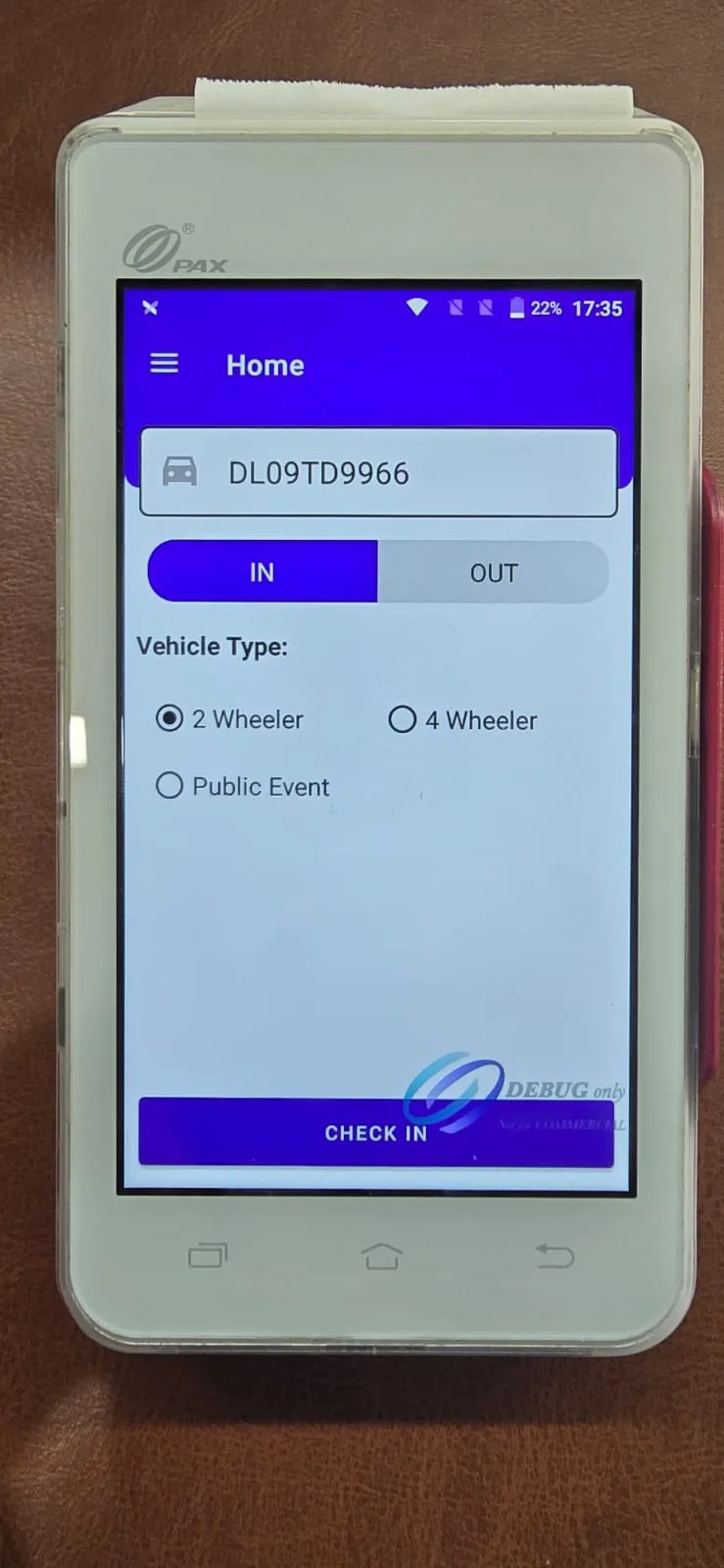
Vehicle Check-in
Attendant enters the vehicle number plate, selects IN, picks the vehicle type (2-wheeler, 4-wheeler, Public Event) and taps CHECK IN. The system records the entry time.
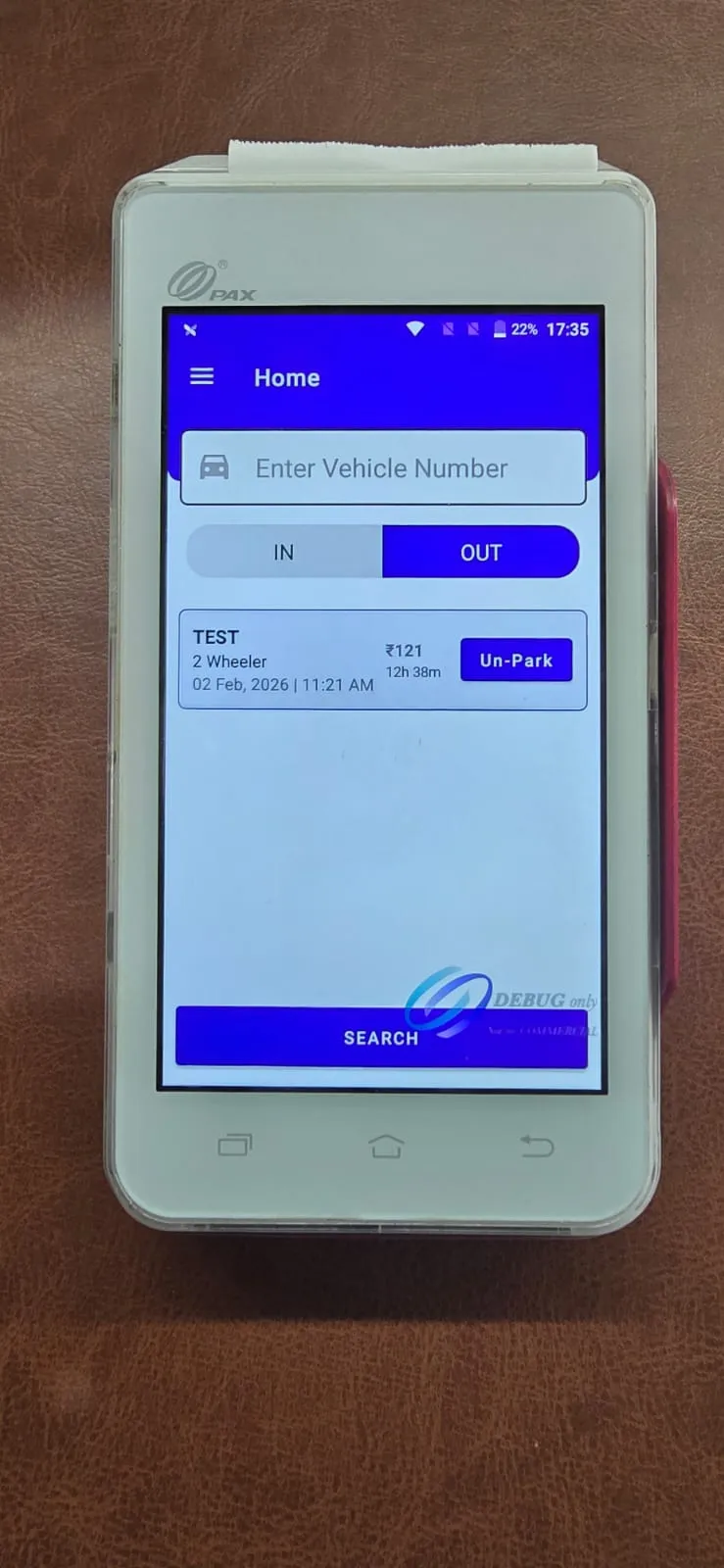
Vehicle Lookup & Check-out
On exit, attendant searches the vehicle number. The device shows how long it's been parked and the fee owed — with an Un-Park button to initiate checkout.
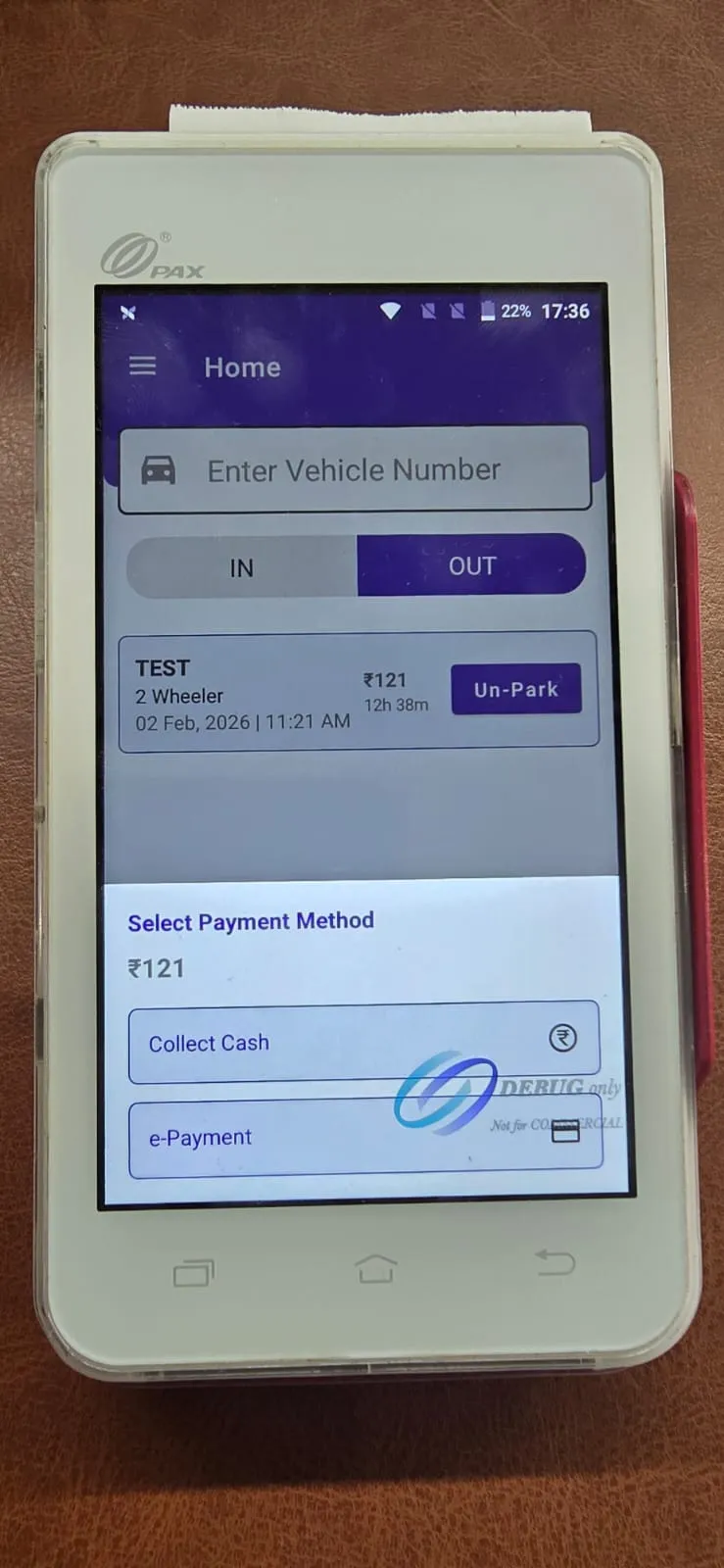
Payment Collection
Attendant selects payment method — Collect Cash or e-Payment (UPI/QR). The transaction is recorded, a receipt can be printed, and the data syncs to the dashboard.
The Dashboard
Everything in one place, live
Real screens from the Shillong Smart Parking dashboard — live data from 33+ parking stands across the city.
Overview Dashboard
Command view across all active parking stands — live occupancy, total vehicles, daily collection and evasion count tracked in one place.
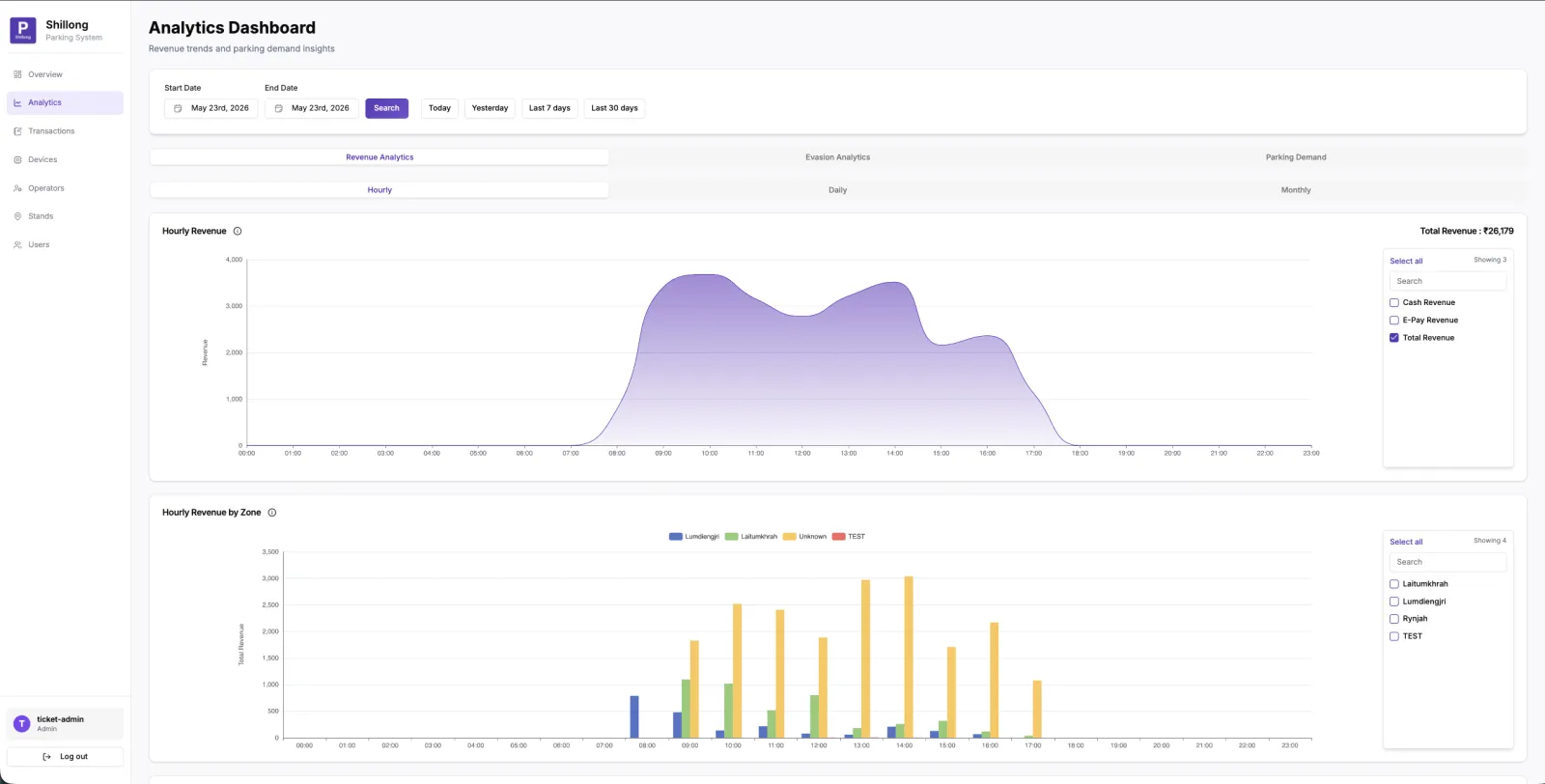
Revenue Analytics
Hourly and daily revenue trends, broken down by zone — see exactly when and where parking demand peaks.
Zone-wise Revenue
Revenue broken down by zone and hour — see which areas generate the most, spot patterns, and plan operator shifts accordingly.
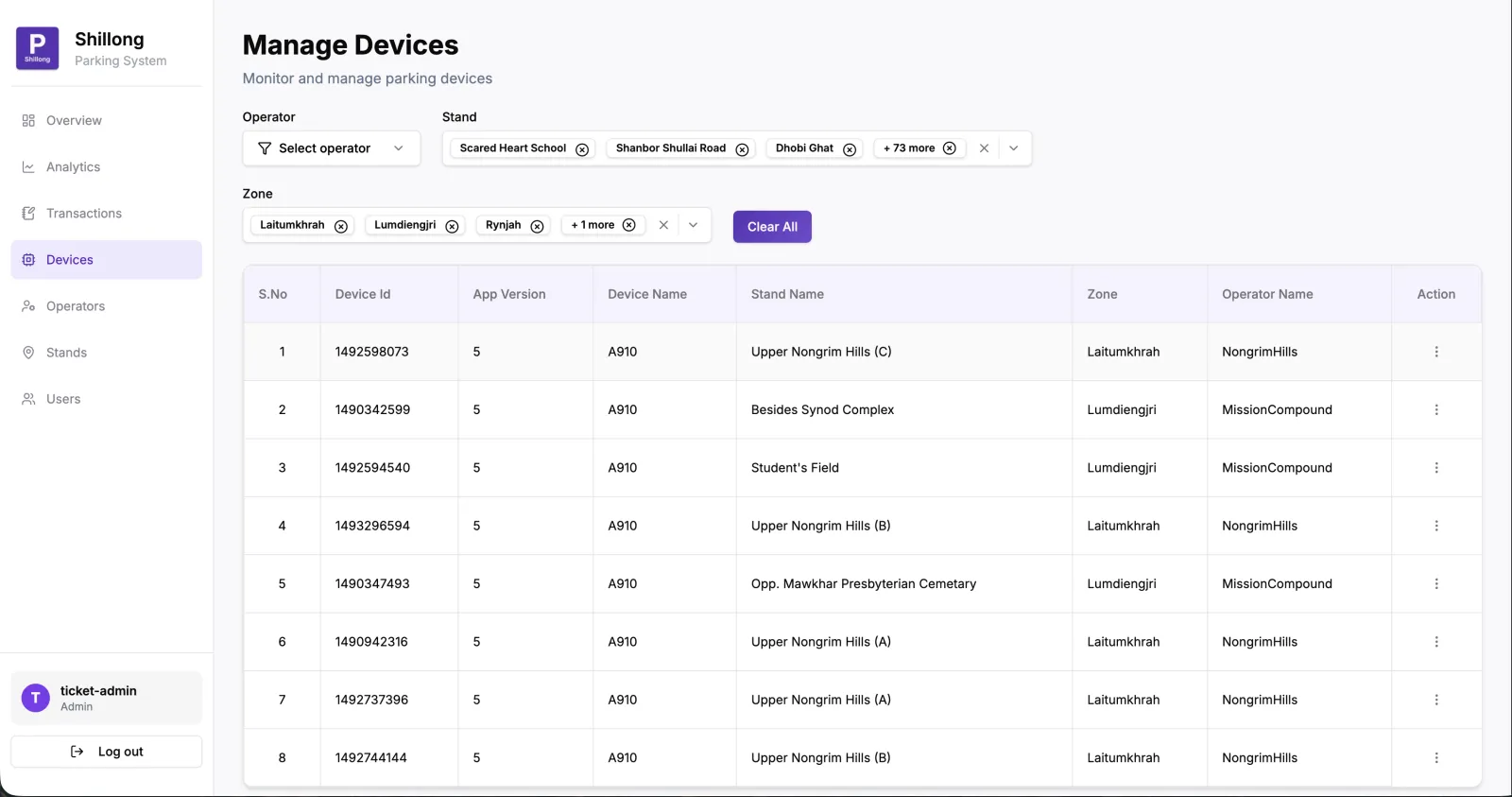
Device Management
All ETM devices across all stands in one view — device ID, app version, assigned stand, zone and operator.
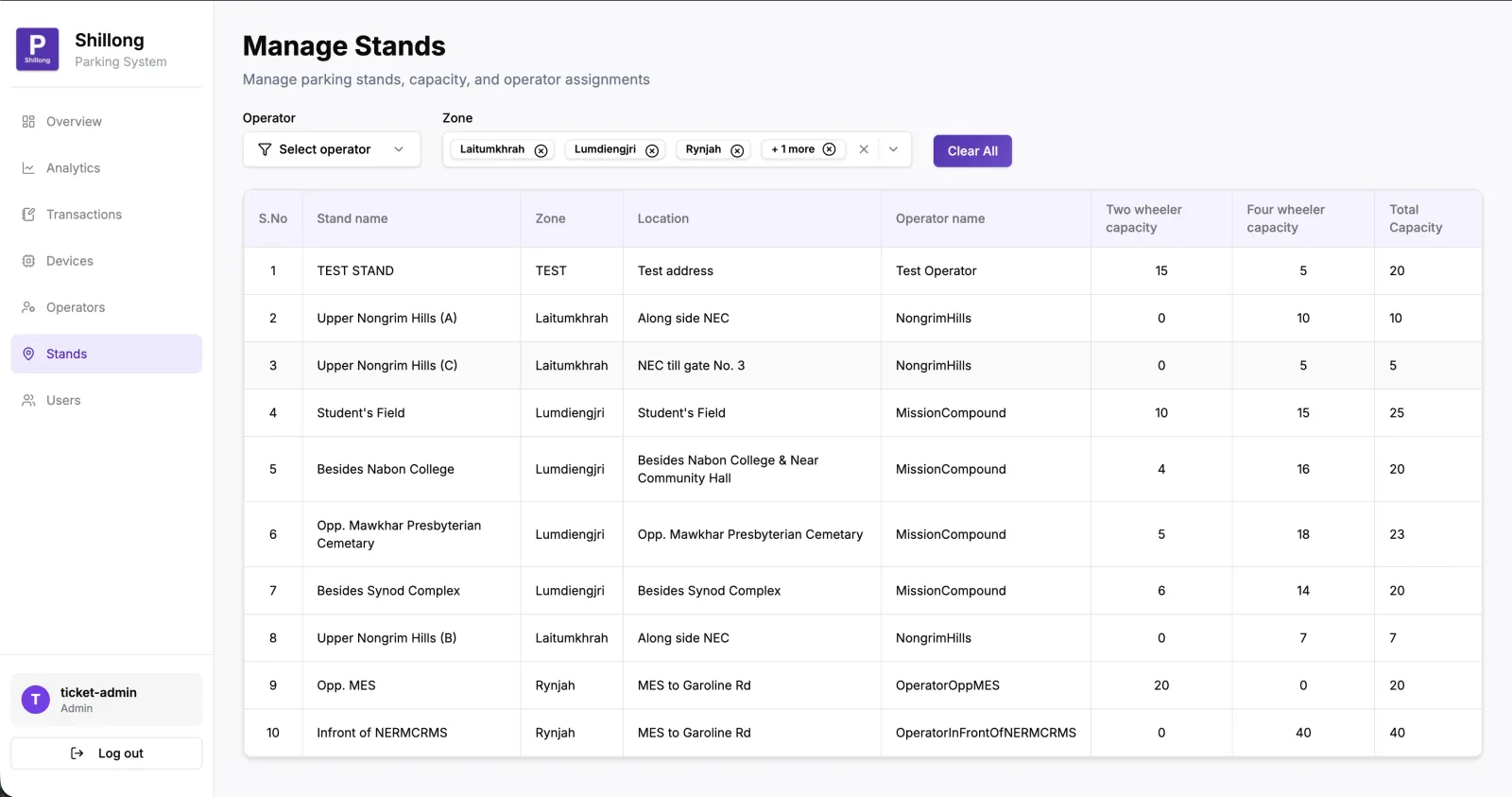
Stands Management
Configure each parking stand — capacity by vehicle type (2-wheeler / 4-wheeler), zone, operator assignment and address.
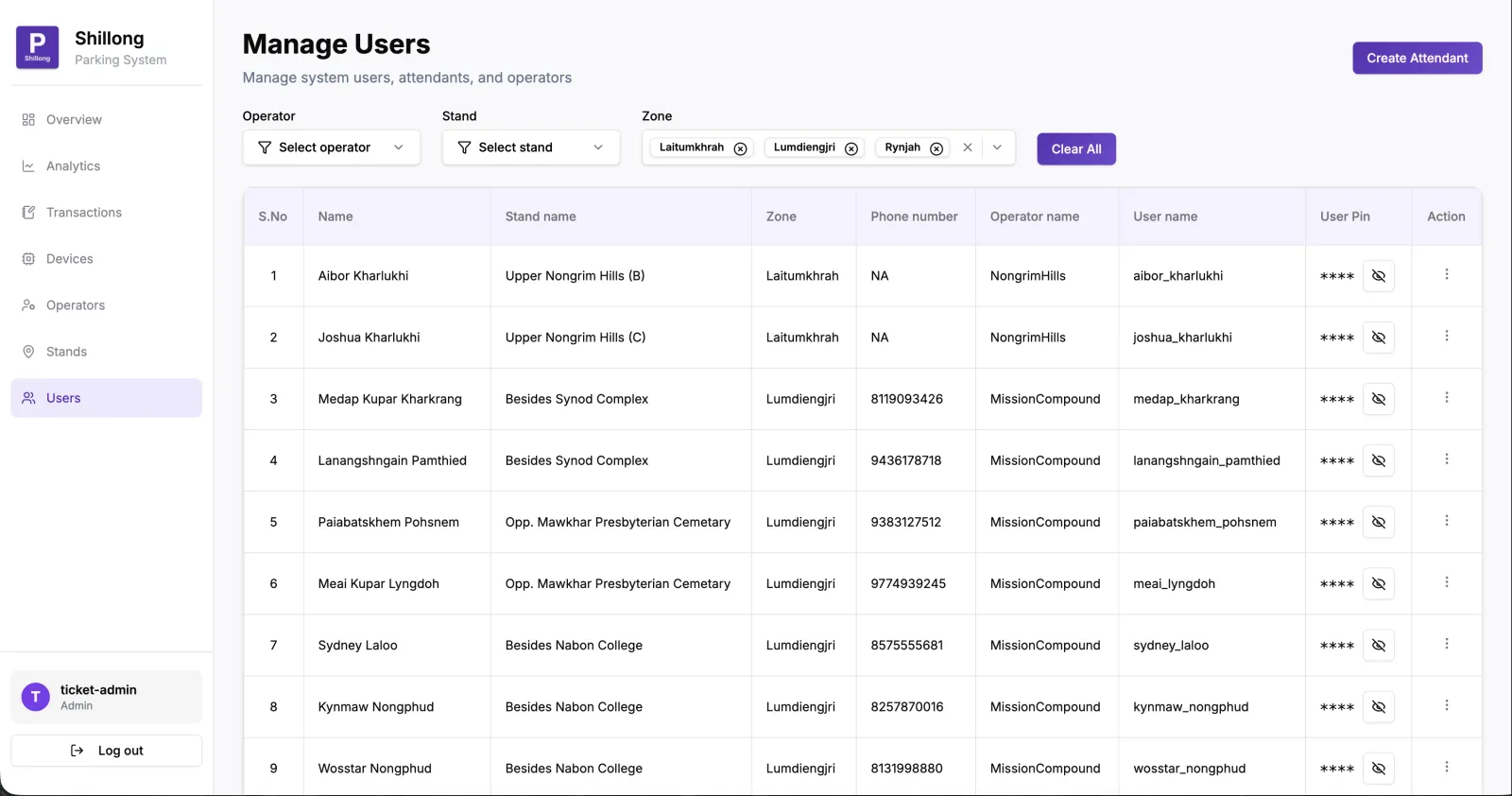
Attendant Management
Create and manage parking attendants — assign them to stands, set PINs, and track which operator they report to.
Digitalise parking in your city
ETM devices at every stand, live collection and occupancy on your dashboard, evasion tracked automatically — fully deployed in weeks.
Talk to us